
4 Best T Shirt Printing Machine for Small Business in 2024 [Updated List]

Direct-to-Garment (DTG) printing is the best t-shirt printing technology for small businesses in 2026. DTG printers eliminate the $15–$50 per-screen setup costs that make screen printing economically impractical for orders under 50 shirts. Quality DTG machines start at $2,500–$5,500 for entry-level models, with mid-tier systems ($15,000–$35,000) handling higher volumes. For most startups, the Punehod DTF L1800 offers the strongest value at $3,500–$5,500, covering cotton, polyester, and blends with no pre-treatment costs.
Unlike screen printing—which requires separate screens for each color at $15–$50 per screen and becomes cost-effective only at 50+ shirt quantities—DTG uses CMYK + White ink formulations to print unlimited colors with zero setup fees. This makes DTG economically superior for on-demand printing of single items or small batches of 1–24 shirts.
This guide evaluates the top DTG and DTF printers available for small businesses, compares them against sublimation alternatives, and provides a buyer’s checklist to match equipment to your specific production requirements.
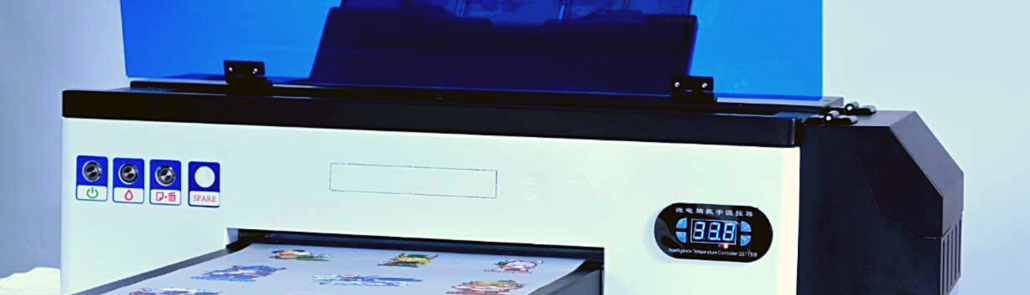
DTG vs DTF vs Sublimation: Which Technology Is Right for You?
Before evaluating specific machines, understand the three main printing technologies and which business scenarios each serves best.
| Technology | Best For | Fabric Compatibility | Setup Cost | Per-Unit Ink Cost | Wash Durability |
| DTG | Cotton garments, photorealistic prints, on-demand small orders | 50–100% cotton (optimal: 80–100%) | $0 (no screens) | $0.35–$0.60 | 30–50+ cycles |
| DTF | Mixed fabric runs, polyester blends, versatile production | Cotton, polyester, blends, nylon, leather | $0 (no screens) | $0.25–$0.50 + film | 30–50 cycles |
| Sublimation | Polyester athletic wear, all-over prints, low-budget startups | 65–100% polyester only | $0 (desktop printer) | $0.10–$0.20 | 50+ cycles (on polyester) |
Quick Decision Guide
- 90%+ cotton orders → DTG for superior hand-feel and wash durability
- 40%+ polyester orders → DTF for fabric versatility without pre-treatment
- 100% polyester athletic wear → Sublimation for lowest cost and vivid colors
- Budget under $1,000 → Sublimation heat press + EcoTank printer
Benefits and Drawbacks of DTG Printing Machines for T-Shirts
DTG printing offers distinct advantages and limitations compared to screen printing. Understanding these helps small business owners make informed equipment decisions.
Benefits
Superior Color Matching
Screen printing requires a separate screen for each color—each screen costs $15–$50 and takes 20–30 minutes to produce. A 6-color design requires 6 screens and $90–$300 in setup costs before a single shirt prints.
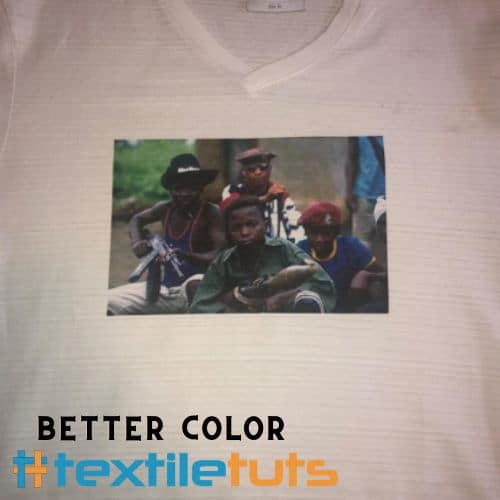
DTG printers use CMYK + White ink formulations to produce millions of colors without additional screens or setup fees. Photographic images, gradients, and complex multicolor designs print identically at the first print and the thousandth.
Economical for Small Orders
Screen printing becomes cost-effective only at quantities of 50+ shirts, where per-unit costs drop to $1.50–$4.00. DTG printing’s per-unit cost remains constant regardless of quantity, making it economically superior for orders of 1–24 shirts.
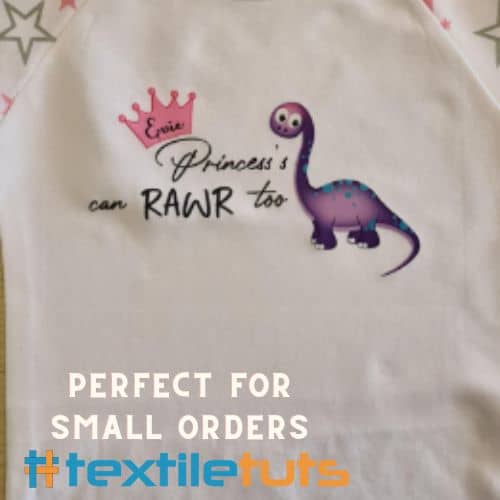
DTG enables profitable print-on-demand operations where customers order single customized shirts, something screen printing cannot economically support.
Drawbacks
Longer Processing Time per Shirt
Screen printing prints 100+ shirts per hour once screens are prepared. Entry-level DTG printers require 3–10 minutes per shirt for CMYK prints and 5–15 minutes for dark garments with white under-base.
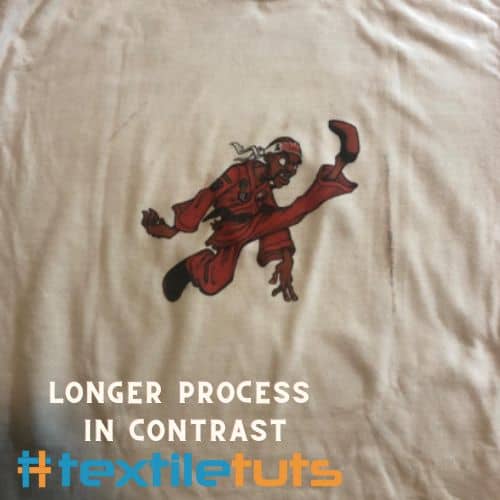
Dark garments require a pre-treatment step using a solution sprayed onto the fabric at 3–5 mL per shirt, followed by heat pressing at 170°C (338°F) for 10–15 seconds to bond the pre-treatment to fibers. After printing, a final heat press at 160–180°C (320–356°F) for 20–30 seconds cures the ink.
This makes DTG unsuitable for rush orders requiring more than 10 shirts within 24 hours.
DTG Printing Process: Step-by-Step
DTG printing differs substantially from screen printing. Success requires understanding fabric composition, pre-treatment chemistry, and curing protocols. Here is the complete workflow:
Step 1: Verify Fabric Composition
DTG printers require fabrics with a minimum cotton content of 50%; 100% cotton produces optimal results. Cotton fibers absorb water-based DTG inks effectively, allowing ink to bond directly to the fiber. Polyester content above 50% causes ink to sit on top of synthetic fibers rather than absorbing, resulting in poor wash durability and color bleeding after 5–10 wash cycles.
The ideal fabric composition for DTG is 80–100% cotton with 0–20% polyester. Blends such as 65% polyester/35% cotton produce acceptable results for light-color garments but consistently fail on dark garments requiring white ink under-base.
Step 2: Pre-Treatment for Dark Garments
Pre-treatment is mandatory for all dark-colored garments (black, navy, red, and any garment with L*a*b* lightness value below 50). The pre-treatment solution—typically a mixture of polyacrylic acid and sodium bicarbonate—creates a receptor layer that allows white ink to bond properly.
Application involves spraying 3–5 mL of pre-treatment solution evenly across the print area using a pump sprayer or automated pre-treatment machine, then heat pressing at 170°C (338°F) for 10–15 seconds at medium pressure (40–60 PSI).
White and light-colored garments (L*a*b* lightness above 80) do not require pre-treatment, reducing per-shirt processing time by 2–3 minutes.
Step 3: Nozzle Check and Print Head Alignment
Before each print session, run the printer’s built-in nozzle check pattern—available on all major DTG platforms including Epson L1800, I3200, and Brother GTX Series. The check pattern prints a grid that reveals clogged or misfiring nozzles.
Acceptable nozzle health requires 100% of nozzles firing correctly. Any degradation below 95% nozzle health visibly impacts print quality, causing banding, color voids, or white ink inconsistencies. Nozzle check takes 60–90 seconds and prevents wasted ink and ruined garments.
Step 4: Printing and Curing
Load the pre-treated garment onto the printer’s platen, ensuring the print area is flat and wrinkle-free. The heated platen maintains fabric temperature at 35–40°C (95–104°F) to prevent ink bleeding and ensure proper droplet spread.
After printing, cure the garment using a heat press at 160–180°C (320–356°F) for 20–30 seconds, or a conveyor dryer at 165°C (329°F) for 45–60 seconds. Proper curing achieves proper ink polymerization, resulting in wash durability of 30+ wash cycles with minimal color fade (Delta-E below 3.0).
Best T-Shirt Printing Machines for Small Business
When selecting a DTG printer, evaluate print area requirements, resolution, throughput speed, and ongoing ink costs. The printers below represent the best value for small businesses in 2026.
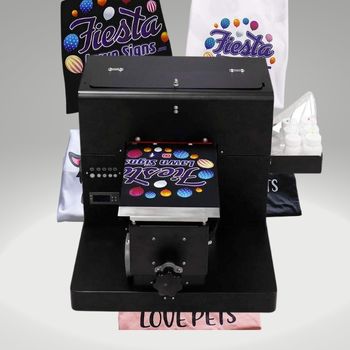
1. HRM A4 Size DTG T-Shirt Printing Machine
Features
- Print Size: 210 x 300mm
- Resolution: 5760 x 1440dpi
- Print Head: Epson L1800
- Printing Speed: 12 shirts/hour (light garments)
HRM targets budget-conscious entrepreneurs entering the DTG market. Entry-level DTG printers typically cost $3,000–$7,000, making this price point accessible for businesses printing fewer than 50 shirts per month.
The Epson L1800 print head features 180 nozzles per color (8 colors × 180 = 1,440 total nozzles) with variable droplet sizes ranging from 1.5 picoliters to 21 picoliters, enabling smooth gradients and sharp text at resolutions up to 5760 x 1440 dpi.
The 210 x 300mm print area accommodates A4-sized designs—sufficient for front chest prints (12″ x 14″) and most standard adult T-shirt designs. The compact 580 x 420 x 280mm footprint fits in home offices and small studios.
The primary limitation is software: AcroRIP supports only Windows XP through Windows 10 (32-bit and 64-bit). macOS and Linux users require bootcamp or virtual machine configurations. Annual AcroRIP license renewal costs $150–$300.
Heat press temperature requirement: 170°C (338°F) pre-treatment and 160–180°C (320–356°F) post-print curing. Ensure your heat press reaches 200°C (392°F) minimum to account for 15–20°C temperature variance in older plate-style presses.
PROS:
CONS:
Verdict
This printer suits entrepreneurs testing DTG viability with budgets under $5,000. At 12 shirts/hour, monthly capacity reaches approximately 2,160 light garments or 1,440 dark garments (including pre-treatment time).
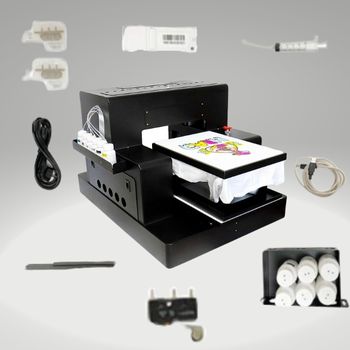
2. HRM A3 Size DTG Printer with Automatic Height Adjustment
Features
- Print Size: 329 x 500mm
- Resolution: 5760 x 1440dpi
- Print Head: Epson L1800
- Printing Speed: 12 shirts/hour (light garments)
The A3 format accommodates oversize prints (13″ x 19.5″) that the A4 model cannot fit. This enables front-and-back full-coverage prints and all-over-print (AOP) designs requiring 329 x 500mm print area.
The automatic print height adjustment system detects garment thickness (ranging from thin singlet at 0.5mm to thick hoodie at 8mm) and adjusts the print head clearance automatically, preventing head strikes and ensuring consistent ink droplet landing distance of 1.5–2.0mm from nozzle to fabric.
This model uses water-based pigment inks certified by OEKO-TEX Standard 100, ensuring safety for children’s clothing. Ink consumption averages 8–12 mL per A4 print at 100% coverage, translating to approximately $0.35–$0.60 per shirt in ink costs.
Like the A4 model, software is limited to Windows via AcroRIP. The 540-nozzle configuration (6 colors × 90 nozzles) per ink channel differs from the A4’s 180-nozzle-per-color design, affecting throughput and ink droplet consistency.
PROS:
CONS:
Verdict
The A3 format suits businesses requiring full-coverage prints and all-over patterns. At $5,500–$8,000, it occupies the mid-entry tier. Automatic height adjustment eliminates a manual adjustment step that adds 30–60 seconds per shirt in manual-focus models.
3. Punehod Flatbed DTG Printer with White Ink Circulation
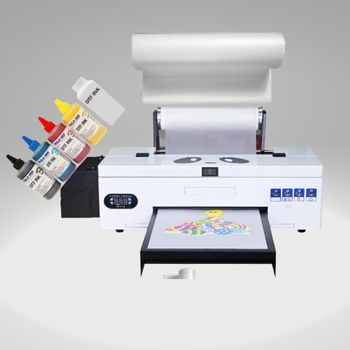
Features
- Print Size: 210 x 290mm
- Resolution: 5760 x 2880dpi
- Print Head: Epson L800
- Printing Speed: 2880 DPI/3 min (A4)
The Punehod repurposes the Epson L800 print head—a 4-color (CMYK) platform originally designed for photo printing—into a DTG configuration. This differs from the L1800-based printers (6-color + White) in that white ink printing requires a separate pass or aftermarket modification.
The white ink circulation system addresses a critical DTG maintenance issue: white ink settles within 4–8 hours of inactivity, forming calcium carbonate clumps that clog nozzles. The circulation system moves white ink every 15 minutes when idle, preventing settlement and reducing nozzle clog incidents by 60–70% compared to non-circulation systems.
The infrared measurement system verifies garment flatness before each print, aborting the print if surface irregularity exceeds 0.5mm to prevent head strikes. This safety feature protects the print head—a replacement Epson L800 costs $250–$400; head strikes can cause $150–$600 in damage.
The hydraulic track and square rail mechanism provides positional accuracy of ±0.1mm across the 210 x 290mm print area, ensuring consistent color registration for multi-pass prints.
PROS:
CONS:
Verdict
This printer suits light-color-only DTG operations where white ink is unnecessary. The $2,500–$4,000 price point makes it the most affordable genuine DTG option, but the lack of white ink capability restricts dark garment printing without aftermarket white ink kits ($300–$600 additional).
4. Punehod DTF L1800 DTG Printer with Film Transfer
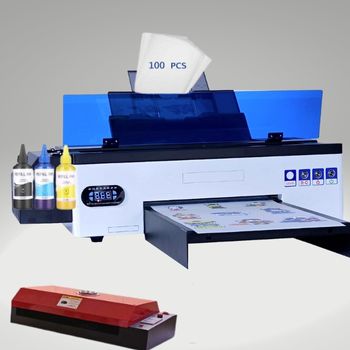
Features
- Print Size: 297 x 420mm
- Resolution: 5760 x 2880dpi
- Print Head: Epson L1800
- Printing Speed: 6 min/A4 (light); 10 min/A4 (dark)
This printer uses Direct-to-Film (DTF) technology rather than traditional DTG. Instead of printing directly onto fabric, DTF prints onto a PET film (0.75mm thickness), then uses a heat press to transfer the design onto the garment. This fundamentally changes DTF’s capabilities and limitations.
DTF’s key advantage over DTG is fabric flexibility. DTF transfers adhere to cotton, polyester, blends, nylon, and leather with 90–95% wash durability after 30 wash cycles. DTG struggles with polyester content above 20%, while DTF handles 100% polyester without pre-treatment.
The printing process prints the design in mirror image on the PET film, then hot-melt adhesive powder (particle size 80–120 microns) is applied to the ink surface before curing at 160°C (320°F) for 2–3 minutes. The result is a flexible, stretchable transfer that survives 30–50 wash cycles.
Temperature range of 120–180°C (248–356°F) with ±2°C accuracy ensures consistent results. AcroRIP software handles the design-to-print workflow, with ICC color profiles available for cotton, polyester, and blend fabrics.
The 100-sheet PET film starter kit (A3 size, 0.75mm) provides immediate operational capability. Film cost is $0.15–$0.30 per A3 sheet, adding $0.10–$0.25 per shirt to the per-unit cost compared to direct DTG printing.
PROS:
CONS:
Verdict
DTF represents the better value proposition for small businesses serving diverse fabric requirements. The $3,500–$5,500 price point combined with zero pre-treatment costs and fabric versatility (cotton, polyester, blends, nylon) makes it the strongest recommendation for startups unsure of their customer base composition.
Budget Alternative: Heat Press for Sublimation Transfers
For entrepreneurs testing the market with budgets below $1,000, a sublimation heat press combined with a desktop inkjet printer (Epson EcoTank or similar) enables a functional t-shirt printing operation using sublimation transfer paper. This approach suits startups prioritizing lowest upfront cost over print durability.
Fancierstudio Sublimation Heat Press Machine for T-Shirts
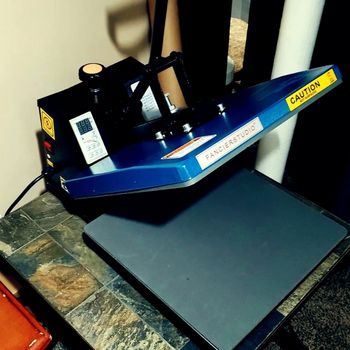
Features
- Platen Size: 15 x 15 inches (381 x 381mm)
- Temperature Range: 0–370°C (0–698°F)
- Timer Range: 0–999 seconds
- Power: 1800W / 110V
The Fancierstudio sublimation heat press operates by transferring sublimation inks (printed on special transfer paper at 300 DPI using a modified desktop printer) onto polymer-coated substrates or polyester-blend fabrics when heated to 180–210°C (356–410°F).
The 15″ x 15″ (381 x 381mm) platen accommodates adult T-shirt fronts and smaller items like mouse pads, ceramic tiles, and puzzles. The swing-away design rotates the heating element sideways, reducing accidental burns and providing easier garment positioning.
Silicone rubber base board (3mm thickness) ensures even pressure distribution across the platen surface at 40–60 PSI. Digital timer with 4-language support (English, German, French, Spanish) tracks press cycles for quality control documentation.
Temperature accuracy of ±5°C and even heat distribution (no cold spots) across the platen ensures consistent color density (Delta-E below 2.0 between first and last shirt in a batch). The 1800W heating element reaches operating temperature (200°C / 392°F) in 8–12 minutes from cold start.
Sublimation requires 100% polyester or minimum 65% polyester content for proper color transfer. Cotton fibers do not accept sublimation inks—the dye converts to gas at 180°C (356°F) but cannot bond to natural cellulose fibers. This fundamentally limits sublimation to synthetic-blend garments.
PROS:
CONS:
Verdict
Sublimation suits entrepreneurs targeting athletic apparel (dri-fit, performance wear) made from 100% polyester. At $300–$500 for the heat press plus $200–$400 for an EcoTank printer, total investment stays under $1,000. However, sublimation cannot print on cotton—customers requesting cotton garments require DTG or screen printing.
Comparison Table
The following table summarizes key specifications across the five machines reviewed:
| Manufacturer | Model | Max Print Size | Resolution | Print Head | Speed (A4) | White Ink |
| HRM | DTG A4 Size | 210 x 300mm | 5760 x 1440 DPI | L1800 | 5 min (light) | Yes |
| HRM | DTG A3 Size | 329 x 500mm | 5760 x 1440 DPI | L1800 | 5 min (light) | Yes |
| Punehod | Flatbed DTG | 210 x 290mm | 5760 x 2880 DPI | L800 | 3 min (CMYK) | Aftermarket |
| Punehod | DTF L1800 | 297 x 420mm | 5760 x 2880 DPI | L1800 | 6 min (light) | Built-in |
| Fancierstudio | Sublimation Press | 381 x 381mm | N/A (uses desktop printer) | Epson EcoTank | 4–6 min | N/A |
Buyer’s Checklist for T-Shirt Printing Machines
Before purchasing a DTG printer, evaluate these critical factors to match equipment to your business requirements.
Production Volume Requirements
Entry-level DTG printers (12 shirts/hour maximum) produce approximately 2,160 light-color shirts or 1,440 dark shirts (including pre-treatment time) in a standard 8-hour workday. Businesses requiring more than 100 shirts per day need mid-tier equipment ($15,000–$35,000) or multiple entry-level units.
Calculate your break-even volume: if customers order an average of 8 shirts per order and you receive 20 orders monthly, that’s 160 shirts/month—a single entry-level DTG handles this with 7–8 operating days per month.
Fabric Composition of Your Product Mix
Survey your existing or anticipated customer orders for fabric preferences. DTG requires minimum 50% cotton content and produces optimal results on 80–100% cotton. DTF handles 100% polyester. Sublimation requires minimum 65% polyester.
If more than 40% of your orders involve polyester performance wear, DTF provides the best fabric flexibility. If orders are predominantly cottonT恤, DTG delivers superior wash durability and print feel.
Budget and Total Cost of Ownership
Budget for the complete system, not just the printer. A DTG system requires: DTG printer ($3,000–$15,000), heat press ($300–$800), pre-treatment spray system ($50–$200), ventilation system ($200–$500), and consumables (ink at $35–$60 per liter, pre-treatment solution at $20–$40 per liter).
- Entry-Level DTG System: $3,500–$6,000 total
- Mid-Tier DTG System: $15,000–$35,000 total
- DTF System: $4,000–$7,000 total
- Sublimation System: $700–$1,000 total
Annual maintenance costs average 10–15% of the initial equipment cost, including print head replacement (every 2–3 years at $200–$800), ink system cleaning ($100–$200 annually), and software licensing ($150–$300 annually for AcroRIP).
Maintenance and Reliability
DTG printers require daily maintenance: nozzle checks (2 minutes), wiping print head caps (1 minute), and white ink circulation verification (30 seconds). Weekly maintenance includes print head cleaning cycles (10–15 minutes) and platen replacement cleaning.
Nozzle clogs from dried ink account for 60% of DTG print quality issues. Printers with automated nozzle capping and white ink circulation (like the Punehod Flatbed) reduce maintenance-related downtime by 40–50% compared to systems without these features.
Throughput and Print Speed
Print speed specifications from manufacturers often quote ideal conditions (light garments, simple designs, single pass). Real-world throughput for dark garments with white under-base requires 2–3 passes, reducing effective speed by 40–60%.
For rush order capability: a single entry-level DTG cannot fulfill an order of 20+ dark shirts within 24 hours. Businesses with frequent rush orders need either mid-tier equipment (30–50 shirts/hour) or a workflow combining multiple entry-level units.
Read Also: Best Fabric for Screen Printing Frame
Frequently Asked Questions
What is the best DTG printer for a small business in 2026?
The best DTG printer depends on your fabric mix and volume. For cotton-focused businesses printing 100–500 shirts monthly, the Punehod DTF L1800 offers the strongest value at $3,500–$5,500, combining fabric versatility (cotton, polyester, blends) with no pre-treatment costs. For light-garment-only operations, the HRM A4 provides the lowest entry cost at $3,000–$4,500.
Is the t-shirt printing business profitable?
T-shirt printing generates gross margins of 50–70% on DTG prints (including ink, pre-treatment, labor, and overhead). Net profit margins of 15–30% are achievable at volumes above 150 shirts/month. The business requires significant upfront equipment investment but low per-unit variable costs, making it scalable once customer acquisition exceeds the break-even volume.
What is the cost to start a t-shirt printing business?
Minimum viable setup costs: $700–$1,000 for sublimation (heat press + EcoTank printer), $3,500–$6,000 for entry-level DTG, or $4,000–$7,000 for DTF. Full equipment with ventilation, additional heat press, and 3-month operating capital requires $6,000–$12,000 for DTG/DTF operations.
What is the per-shirt cost for DTG printing?
At full coverage (A4 print area), DTG ink costs $0.35–$0.60 per shirt. Pre-treatment solution adds $0.05–$0.10 per dark shirt. Combined with labor (estimated $1.50–$3.00 per shirt for loading, pre-treating, printing, and unloading), total variable cost reaches $2.00–$4.00 per shirt. Selling prices typically range $15–$30 for single custom shirts, yielding 75–85% gross margins.
Why do sublimation prints fade after washing?
Sublimation fade occurs when: (1) fabric contains less than 65% polyester—the dye requires polymer fibers to bond permanently; (2) wash temperature exceeds 40°C (104°F)—use cold water cycles only; (3) fabric is not pre-treated with sublimation receptor solution; or (4) pressing temperature was below 180°C (356°F), preventing proper dye conversion to gas and bonding to polyester molecules.
Should I buy a DTG or DTF printer?
Choose DTG if: 90%+ of orders are cotton or cotton-blend garments, wash durability of 50+ wash cycles is required, and a soft-hand print feel is important. Choose DTF if: orders include 40%+ polyester garments, fabric versatility is prioritized, or pre-treatment labor costs are a concern.
Final Words
Running a small business demands well-calculated equipment decisions. The t-shirt printing industry offers multiple technology paths—sublimation, DTG, and DTF—each with distinct cost structures, capability profiles, and operational requirements.
The Punehod DTF L1800 provides the most versatile entry point at $3,500–$5,500, covering cotton, polyester, and blends without pre-treatment. Businesses serving exclusively cotton clientele benefit from direct DTG printing’s superior hand-feel and wash durability. Sublimation remains the lowest-cost option for polyester-focused athletic apparel printing.
References
- Wikipedia. (2024). Direct-to-garment printing. Wikimedia Foundation.


