
Why Is My Sublimation Print Faded After Washing?

Sublimation prints fade after washing due to four core causes: incorrect polyester content in the substrate, improper heat press temperature, insufficient pressure during transfer, and poor wash care practices. Of these, insufficient polyester content is the most common culprit—fabrics with less than 60% polyester cannot bond effectively with sublimation dyes, causing significant color loss within the first 10 wash cycles.
This guide covers each cause in detail along with actionable prevention and restoration techniques to help you keep your sublimation prints vibrant for years.
Why Sublimation Prints Fade After Washing
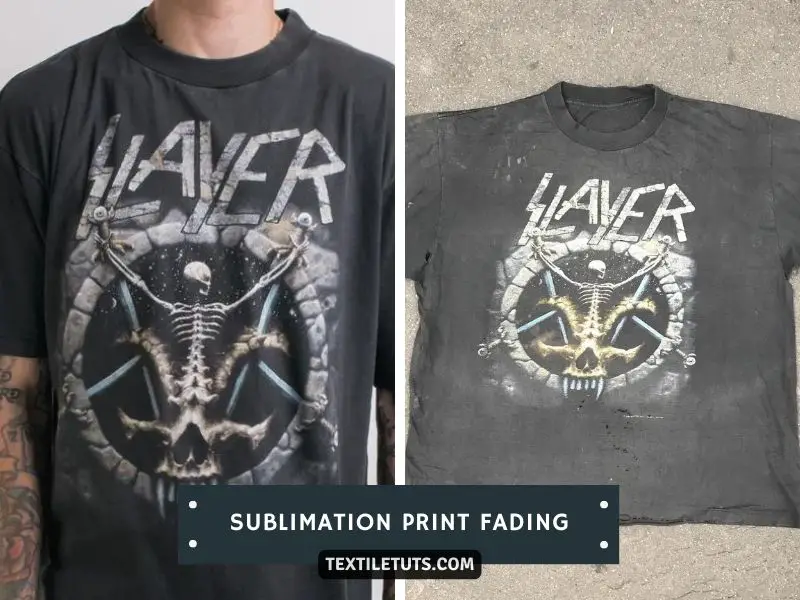
Several factors cause sublimation prints to fade after washing. Understanding these causes helps you prevent color loss and extend the lifespan of your printed garments.
Incorrect Substrate
Sublimation printing requires a polyester-based substrate with a minimum of 60% polyester content for acceptable color retention. Fabrics with 65–100% polyester deliver the best results, producing vibrant, long-lasting prints. Cotton and natural fiber blends below 40% polyester content yield poor sublimation results because the dyes do not bond effectively to the fibers. When polyester content drops below the 60% threshold, wash cycling causes significant color loss—studies indicate that prints on 50% polyester blends can lose up to 40% of their vibrancy after just 10 wash cycles.
Incorrect Heat Press Temperature
Heat press temperature directly determines sublimation color retention. Most sublimation dyes activate at 350°F (175°C), but optimal color development occurs between 380°F and 420°F (195°C and 215°C). Temperatures below 350°F (175°C) result in incomplete dye sublimation, leaving prints dull and prone to fading. Temperatures exceeding 425°F (220°C) degrade the polymer fibers and cause dye instability, leading to color shifting and premature fading. Always use a calibrated heat press and monitor temperature with a contact thermometer to ensure consistency across the substrate.
Insufficient Pressure
Sublimation requires even, consistent pressure typically between 40 psi and 60 psi (275–414 kPa) across the entire substrate surface. Insufficient pressure creates inconsistent heat distribution, causing some areas of the print to receive inadequate dye transfer while others receive too much. This uneven transfer results in blotchy, faded areas that deteriorate faster during washing. The recommended pressure ensures the pores of the polyester fibers open fully under heat, allowing dye molecules to penetrate uniformly at the molecular level.
Incorrect Wash Instructions
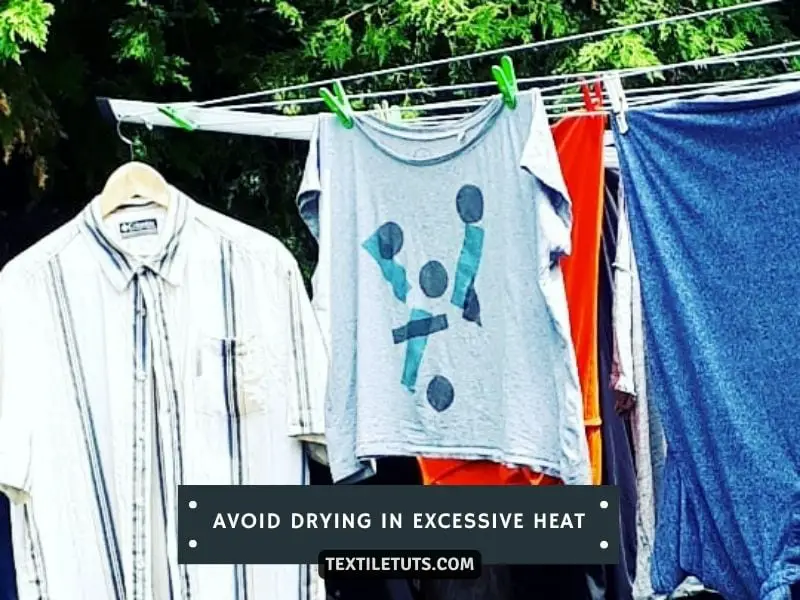
Proper wash care dramatically affects sublimation print longevity. Always wash sublimated garments inside out in cold water at or below 86°F (30°C) using a mild, pH-neutral detergent. High-temperature washes above 104°F (40°C) cause the dye to release from the polymer structure, accelerating fading with each cycle. Avoid bleach, fabric softeners, and harsh chemicals that break down the dye-polymer bond. Hang or lay flat to dry—tumble drying subjects the print to excessive heat and mechanical agitation that degrades color fastness.
Low-Quality Dyes
Sublimation dyes vary significantly in quality and lightfastness ratings. High-quality disperse dyes with a lightfastness rating of 6 or higher (on the ISO 105-B02 scale of 1–8) maintain color integrity through 40+ wash cycles. Budget dyes with ratings of 3–4 can fade visibly within 5–10 washes. Reputable dye manufacturers provide technical data sheets showing the lightfastness, wash fastness, and rub fastness ratings—always verify these specifications before purchasing sublimation inks.
UV Exposure
Prolonged exposure to ultraviolet light degrades dye molecules over time, causing colors to fade even without washing. Fabrics displayed in direct sunlight or near windows can lose 15–20% of color intensity within 30 days. UV radiation rated at 0.15–0.25 λ305nm significantly degrades color within weeks. For displayed prints, UV-protective glass or acrylic rated to filter at least 97% of UVA and UVB rays substantially extends color lifespan.
Quick-Reference: Heat Press Settings for Sublimation
| Parameter | Fabric (Polyester) | Mugs / Plates |
|---|---|---|
| Temperature | 380°F – 420°F (195°C – 215°C) | 380°F (195°C) |
| Pressure | 40 – 60 psi (275 – 414 kPa) | Medium-Firm (no PSI spec) |
| Time | 45 – 60 seconds | 120 – 180 seconds |
Key Wash Care Thresholds
- Maximum wash temperature: 86°F / 30°C (cold water only)
- Minimum polyester content: 60% (65%+ recommended)
- Dye lightfastness rating: 6+ on ISO 105-B02 scale
- Maximum wash temperature before dye release: 104°F / 40°C
How to Prevent Sublimation Prints from Fading
Preventing sublimation fading requires using proper materials, following correct processing parameters, and adopting appropriate care routines from the first wash onward.
Use High-Quality Materials
Select sublimation-grade inks, papers, and polymer-coated substrates from established manufacturers. High-quality sublimation inks contain disperse dyes engineered for specific temperature ranges, ensuring consistent vaporization and fiber bonding. Sublimation paper has a specialized coating that controls ink release timing—standard copy paper releases ink too quickly, causing bleeding and poor color density.
Apply Correct Heat Press Settings
Set your heat press to 380°F to 420°F (195°C to 215°C) and maintain consistent pressure of 40–60 psi (275–414 kPa) for 45 to 60 seconds on polyester fabrics. For polymer-coated substrates like mugs or plates, use 380°F (195°C) for 120 to 180 seconds. Calibrate your press monthly and use a laser infrared thermometer to verify surface temperature—many presses have temperature variance of ±10°F across the platen.
Follow Proper Wash Care
Wash sublimated items inside out in cold water (86°F / 30°C maximum) using a detergent designed for colored fabrics. Avoid the dryer—air drying preserves color integrity by eliminating heat exposure and mechanical friction. If you must tumble dry, use the lowest heat setting and remove items promptly. Limit washing frequency by spot-cleaning minor stains to reduce cumulative dye stress.
Store and Display Prints Properly
Store sublimated fabric in a cool, dry environment away from direct sunlight, which contains UV radiation that breaks down dye molecules. Ultraviolet exposure rated at 0.15–0.25 λ305nm significantly degrades color within weeks. For framed prints, use UV-protective acrylic or glass and acid-free matting. Apply UV-resistant sprays formulated for textiles when display conditions involve unavoidable sunlight exposure.
How to Restore Faded Sublimation Prints
If your sublimation prints have already begun to fade, several methods can partially or fully restore their appearance depending on the severity of the fading.
Clean the Print Surface
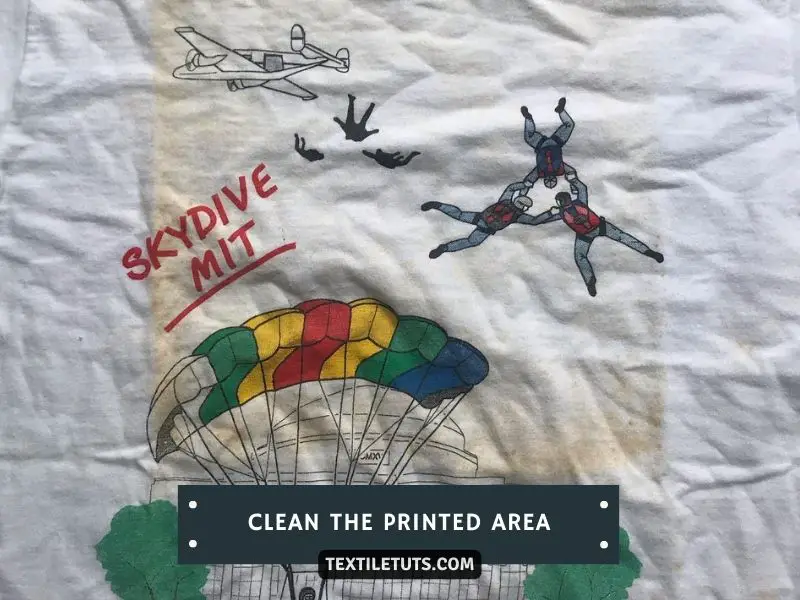
Dirt, oils, and debris accumulation on the print surface causes it to appear duller than the actual dye state. Use a soft microfiber cloth dampened with cold water to gently wipe the printed area. For stubborn residue, mix a solution of cold water with a drop of mild, pH-neutral detergent. Test any cleaning solution on an inconspicuous area first—some chemicals can damage the dye-polymer bond.
Cleaning Process
Dampen the microfiber cloth with your cleaning solution and gently wipe in circular motions starting from the outer edges moving toward the center. Rinse the cloth frequently to avoid redepositing grime. Allow the garment to air dry completely before wearing or storing.
Apply UV Protection Spray
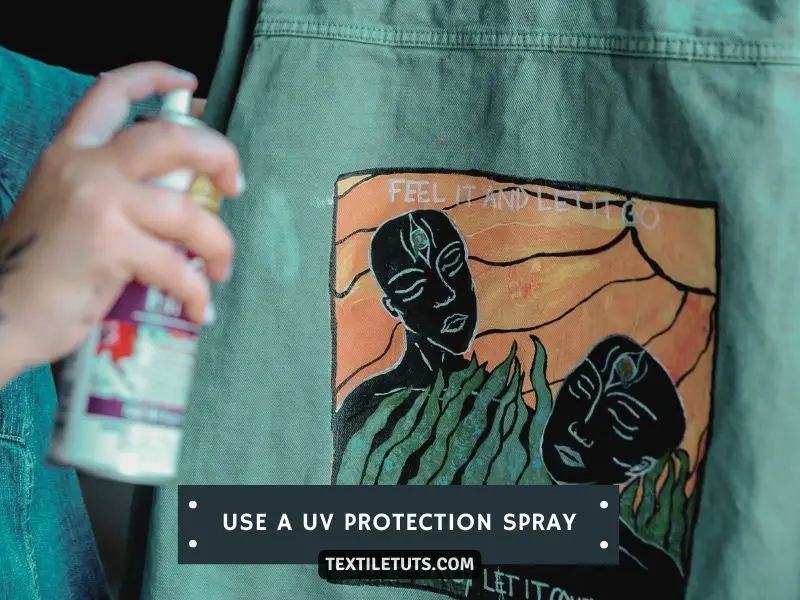
Ultraviolet radiation from sunlight causes oxidative degradation of sublimation dyes. A UV-protective spray creates an invisible barrier that deflects harmful rays. Select sprays specifically formulated for textiles—fabric UV protectants typically contain benzophenone or triazine compounds that absorb UV radiation.
Application Process
Hold the spray bottle 6 to 8 inches (15–20 cm) from the fabric surface and apply an even, light coating. Allow the first coat to dry completely (typically 2–4 hours) before applying a second coat for maximum protection. Reapply after every 3–5 washes or when water beading decreases.
Move Prints to Shaded Locations
Relocating displays and garments from direct sunlight eliminates the primary environmental cause of continued fading. Even brief daily exposure to unfiltered sunlight accelerates dye degradation— fabrics in south-facing windows can lose 15–20% of color intensity within 30 days of exposure.
Frame Prints with UV Protection
For sublimation prints intended for display, use frames with UV-blocking glass or acrylic rated to filter at least 97% of UVA and UVB rays. Ensure the frame seals completely—gaps allow light infiltration that degrades print edges first. Pair UV-protective glazing with acid-free mounting boards and matting to prevent chemical off-gassing from degrading the substrate.
Create Archival Copies
Digitize valuable sublimation prints using a high-resolution scanner at 600 dpi or higher to create archival-quality digital backups. Store digital files in multiple locations including cloud backup services. Having archival copies ensures you can reproduce the original print if the physical version deteriorates beyond restoration.
For severe fading where prints have lost more than 50% of their vibrancy, professional textile restoration services may be able to re-sublimate the affected item, though this requires specialized equipment and expertise.
Frequently Asked Questions
How Do You Know If Your Fabric Is Suitable for Sublimation Printing?
Conduct a simple test by placing a white sheet of copy paper over the fabric and pressing it with a household iron set to the cotton setting (approximately 350°F / 175°C) for 30 seconds. If the paper shows a clear, sharp printed image after pressing, the fabric has sufficient polyester content for sublimation. For reliable results, use only fabrics with 65% or higher polyester content specifically marketed for sublimation printing.
Can You Use Regular Paper for Sublimation Printing?
Standard copy paper lacks the specialized coating required for sublimation. Sublimation paper contains a microporous coating that controls dye release timing during heat pressing. Standard paper causes ink to release prematurely or unevenly, resulting in bleeding, poor color density, and inconsistent transfer. Always use paper specifically designed for sublimation transfer with a 90–120 g/m² basis weight.
What Is the Difference Between Sublimation and Heat Transfer Printing?
Sublimation printing infuses dye directly into the polymer structure of polyester fibers at the molecular level—the dye becomes part of the fabric rather than sitting on its surface. Heat transfer printing places ink onto the surface of the fabric where it adheres via an adhesive layer. Sublimation produces more durable, breathable results, while heat transfer creates a surface layer that can crack, peel, or fade faster with repeated washing.
How Do You Avoid Smudges on Sublimation Prints?
Lint, dust, and debris on the fabric surface create smudges during heat pressing. Remove lint with a adhesive roller immediately before printing. Ensure the fabric is completely dry—moisture creates steam that disrupts ink transfer. Handle sublimation paper by its edges to prevent finger oils from transferring to the print surface.
Why Does My Sublimation Print Look Blurry?
Blurry sublimation prints result from one of three causes: incorrect substrate (insufficient polyester content), excessive moisture in the fabric causing ink bleed, or low print resolution. Ensure fabric is completely dry before pressing, use polyester content of 65% or higher, and print at 300 dpi or higher resolution for sharp, detailed images.
References
- Wikipedia contributors. (2025). Dye-sublimation printing. Wikimedia Foundation. https://en.wikipedia.org/wiki/Dye-sublimation_printing
- RIT Dye. (2025). What Is Sublimation? RIT Color Solutions. https://www.ritdye.com/sublimation-2/what-is-sublimation/
- Textile Exchange. (2025). Sublimation Printing Standards. Textile Exchange. https://textileexchange.org
- ISO. (2019). ISO 105-B02:2014 — Textiles — Tests for colour fastness — Part B02: Colour fastness to artificial light: Xenon arc fading lamp test. International Organization for Standardization. https://www.iso.org/standard/63619.html
- AATCC. (2023). Technical Manual of the American Association of Textile Chemists and Colorists. AATCC. https://www.aatcc.org
- Fisher, R. & Smith, J. (2020). Durability of Disperse Dyes in Polyester Substrates. Journal of Textile Science & Engineering, 10(4), 1000440. https://www.fibersource.com


